The Kainos Synecdoche transform platform
Turn lab results, well-plate templates, instrument files, and other structured data into the exact format your system expects. Point, click, and map: CSV, TSV, or Excel in; a mapped, audited file out. No coding, and nothing is ever silently dropped.
Available for Windows · macOS (Apple Silicon)
- Source formats read
- 3
- Signed platforms
- 2
- Rows or values ever silently dropped
- 0
Source formats
Signed platforms
Silently dropped
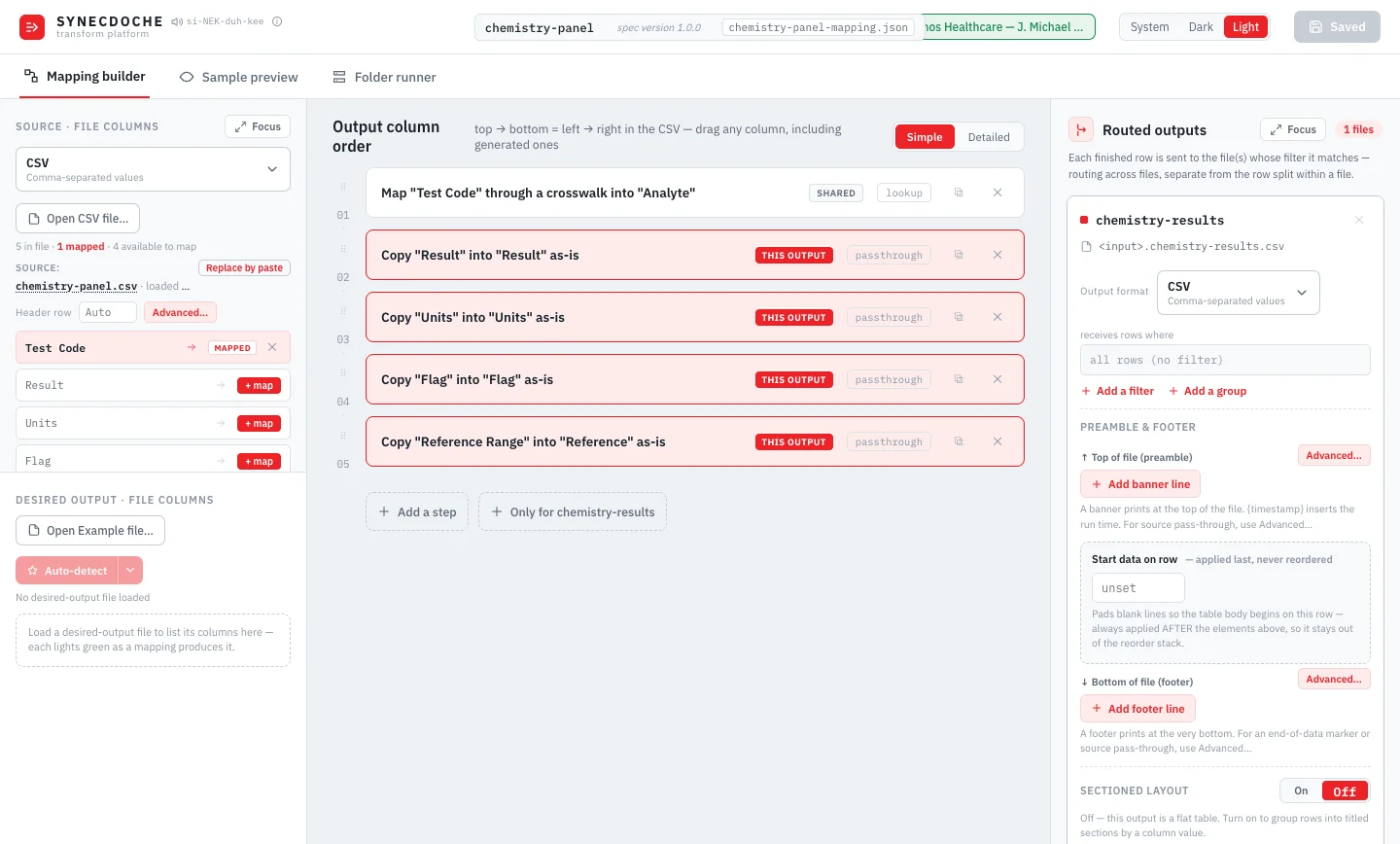
See it in action
From source file to routed output
Eight ways Synecdoche keeps you in control of the mapping, from the first row in to the last file out.
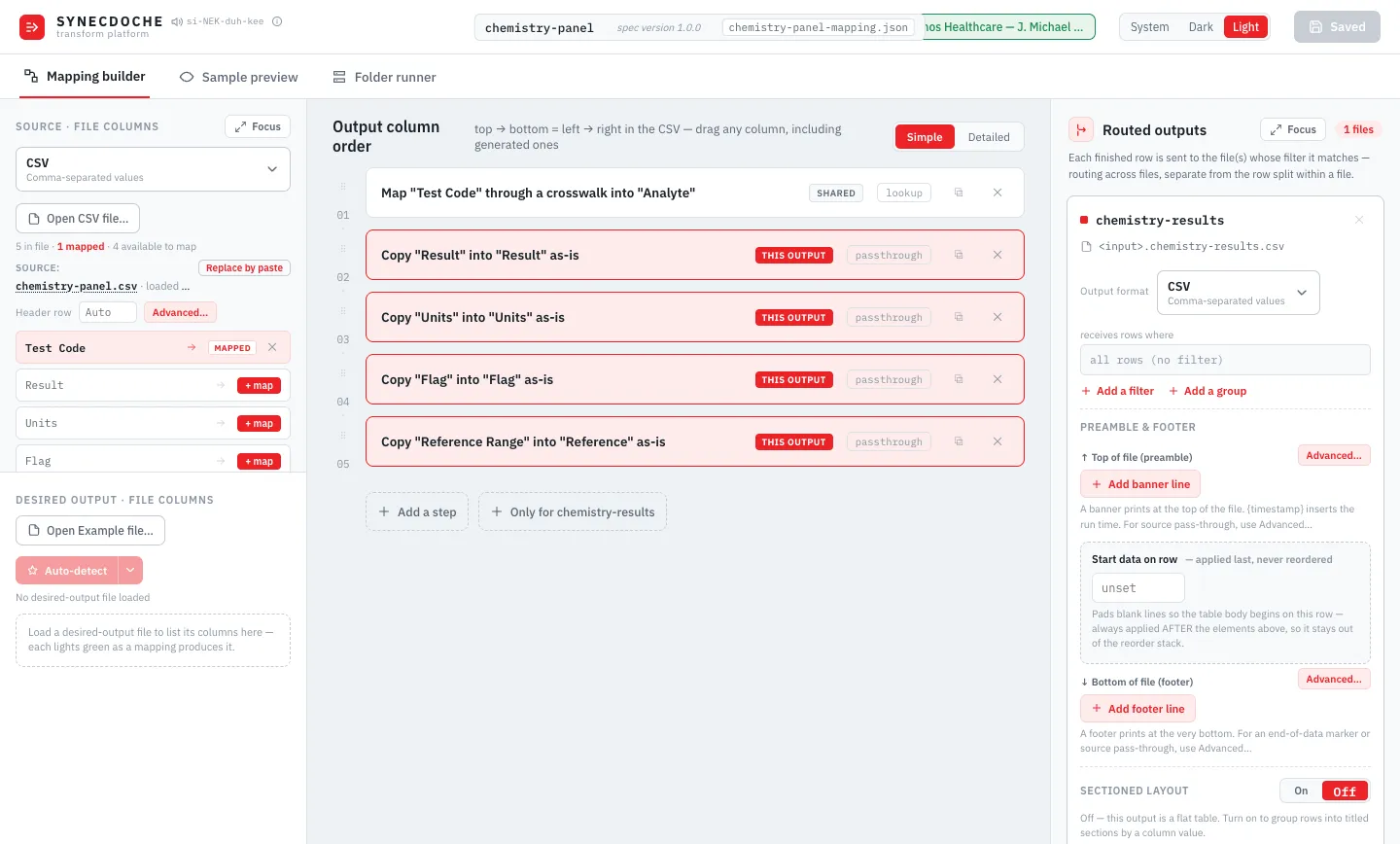
One workspace for the whole mapping
Source columns on the left, your mapping in the middle, routed outputs on the right. See every decision in one window, in Simple or Detailed view.
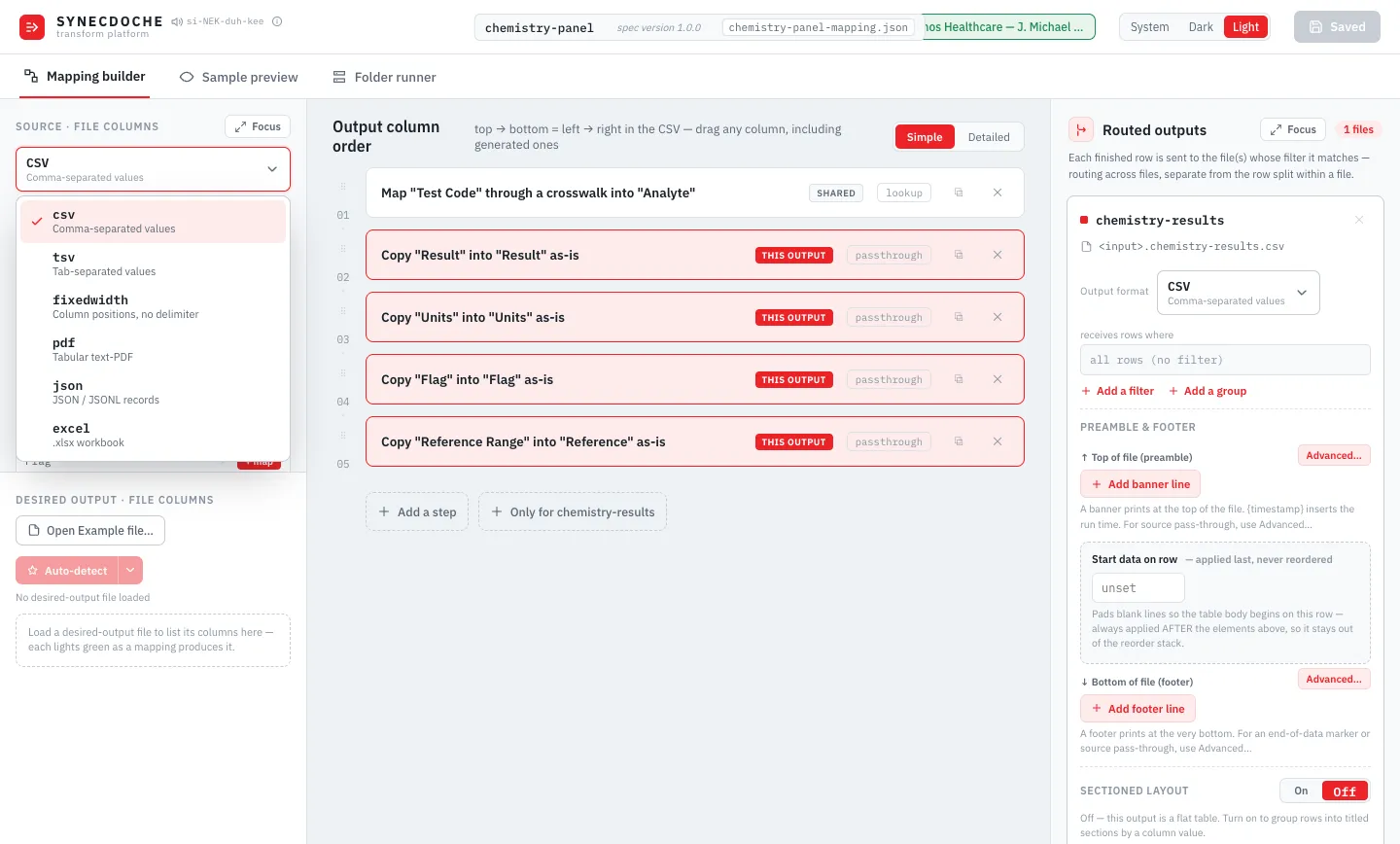
Multi-format in
CSV, TSV, or Excel (.xlsx): Synecdoche reads your file as-is, auto-detecting the format and the real header row even when a title block sits above it.
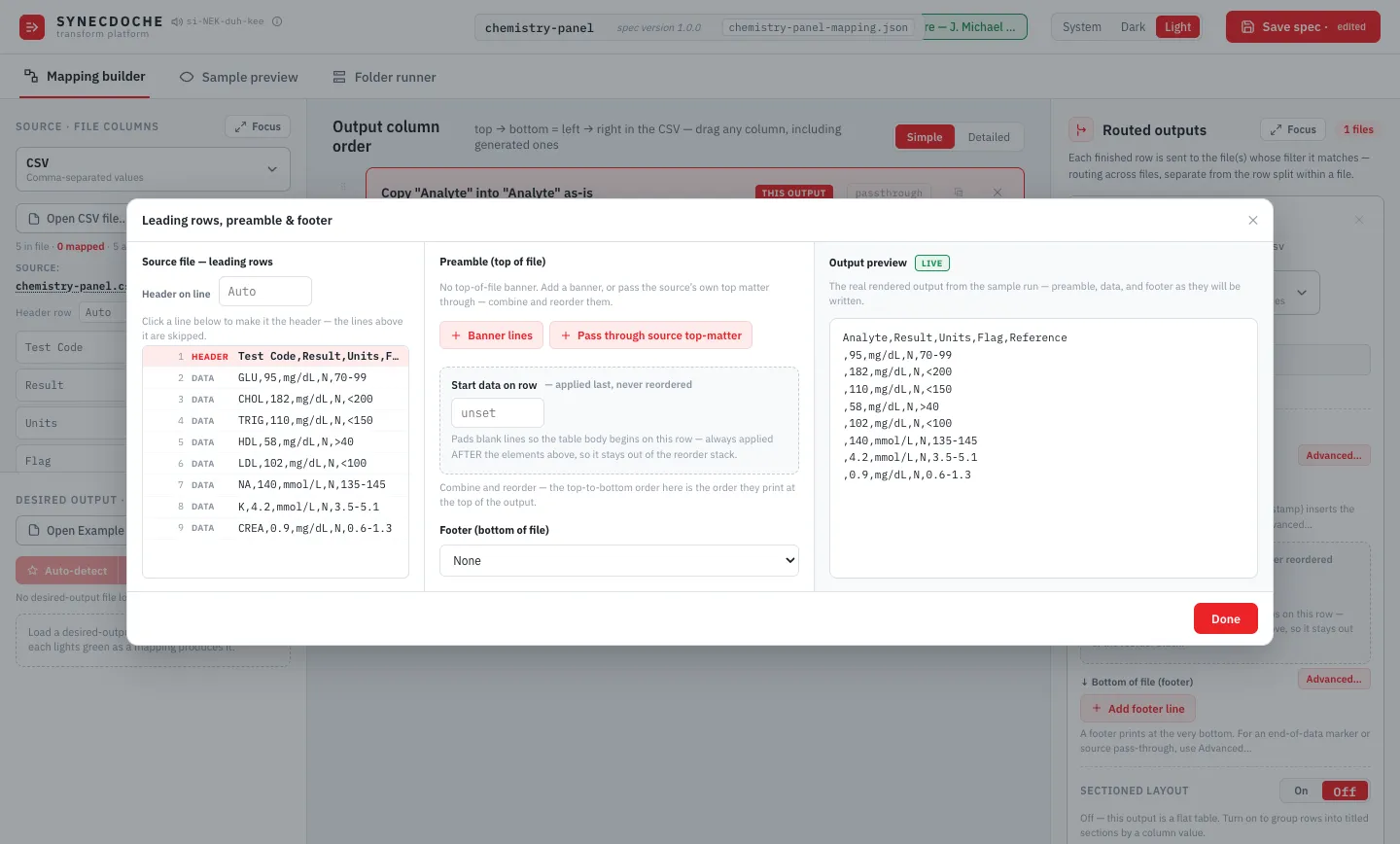
The Leading Rows, Preamble & Footer editor
Combine and reorder banner text, pass through your source's own title block (in full or just its first N lines), and preview the exact rendered output, live, before you run anything.
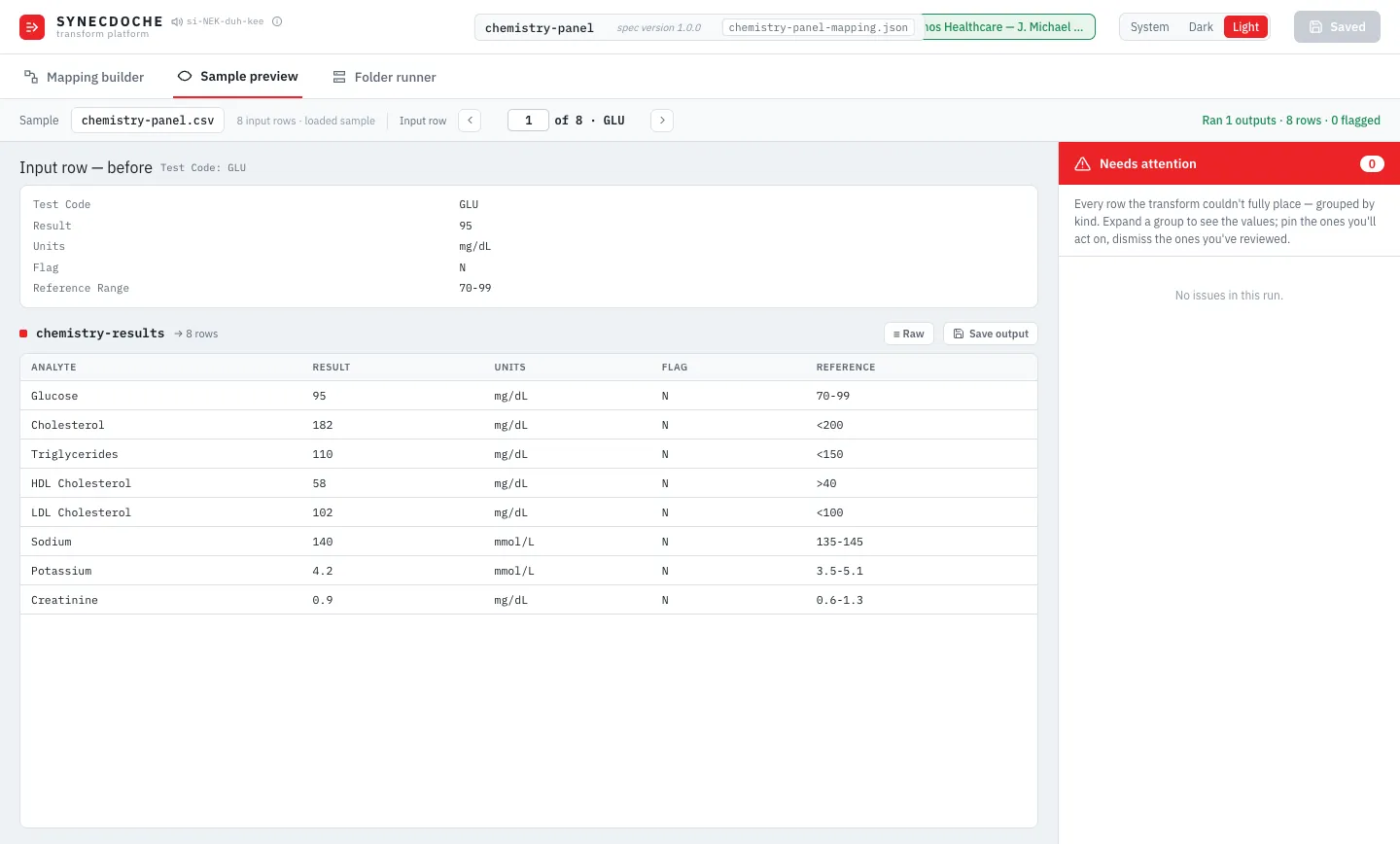
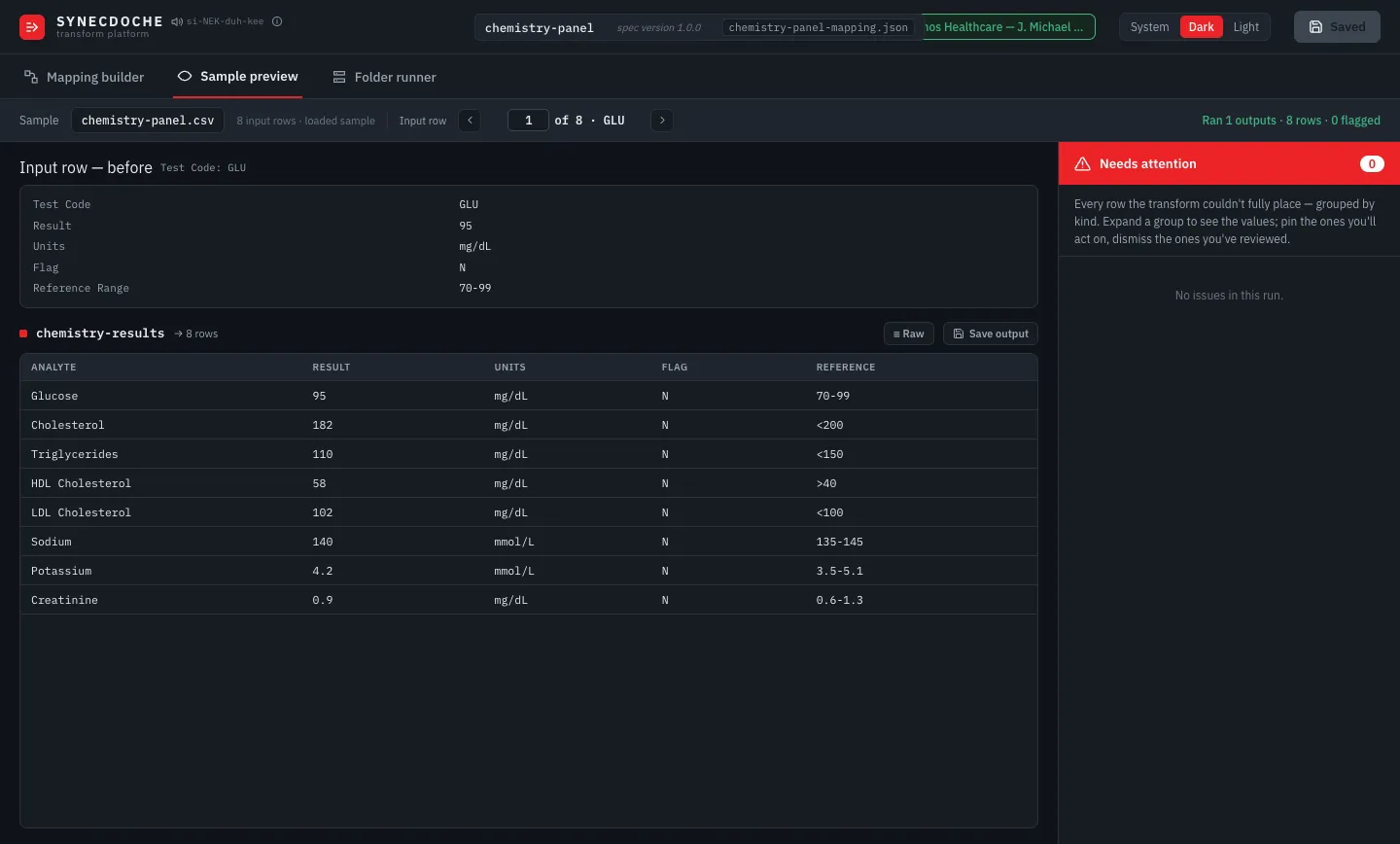
Sample Preview, row by row
Step through your sample file and compare the real input against the real output, side by side, before you touch your full dataset.
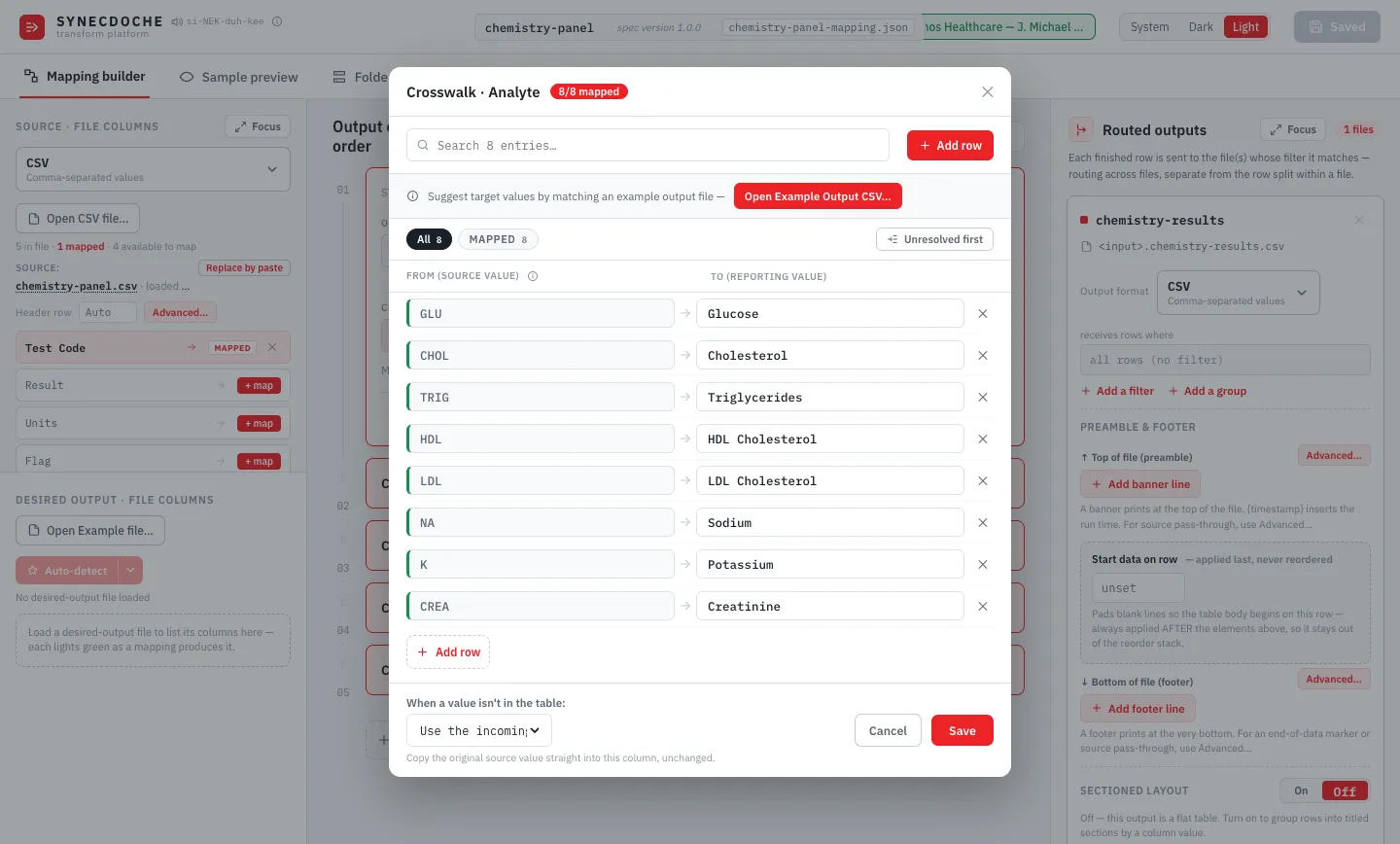
The crosswalk
Rename source test names to the names your destination format expects, with a clear, explicit choice for anything not in the table. Nothing is renamed or dropped without your say-so.
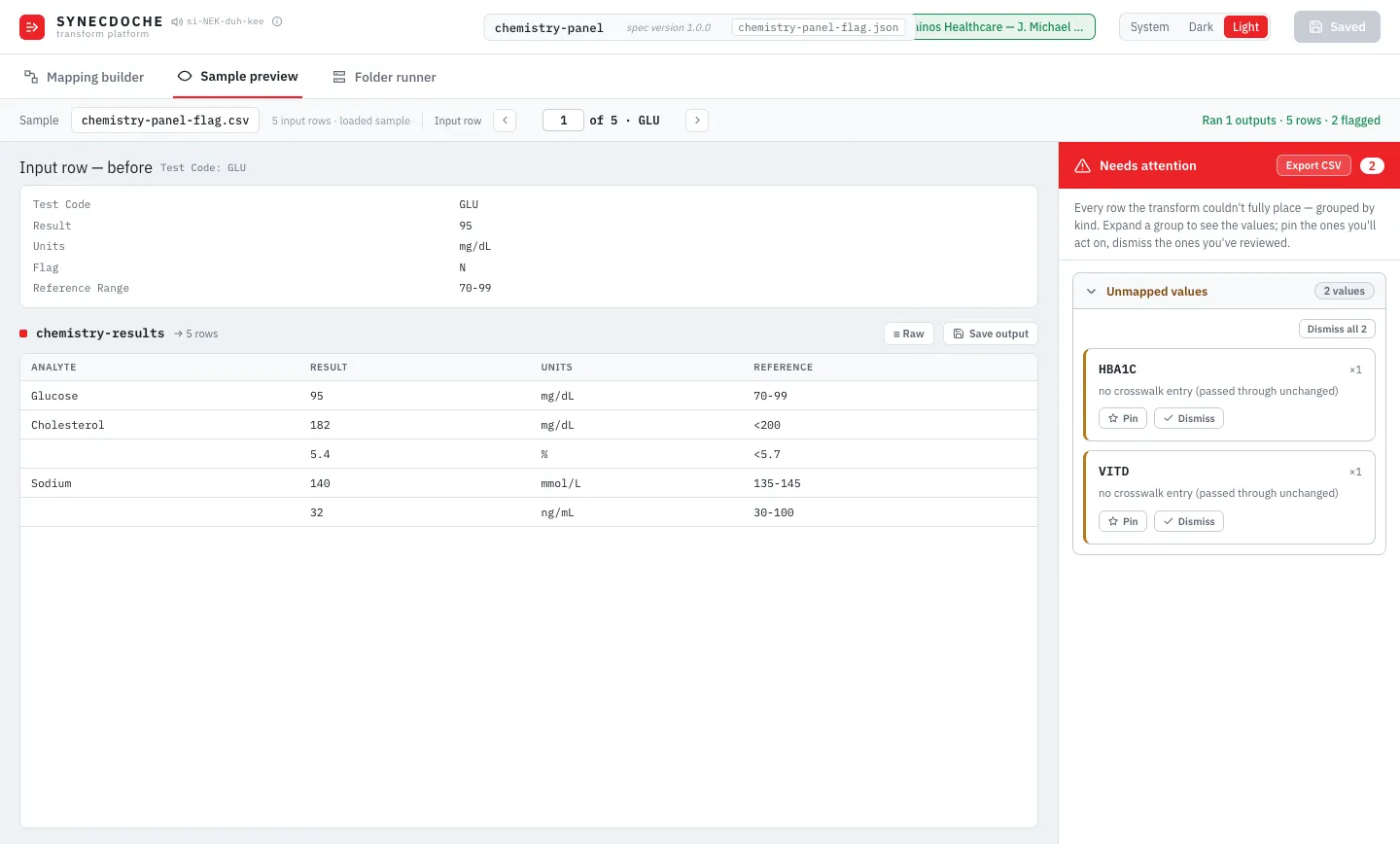
Needs Attention, not silent failure
Every unmapped value and unrouted row is flagged, grouped, and reviewable: pin it, dismiss it, or fix it. It's never just missing.
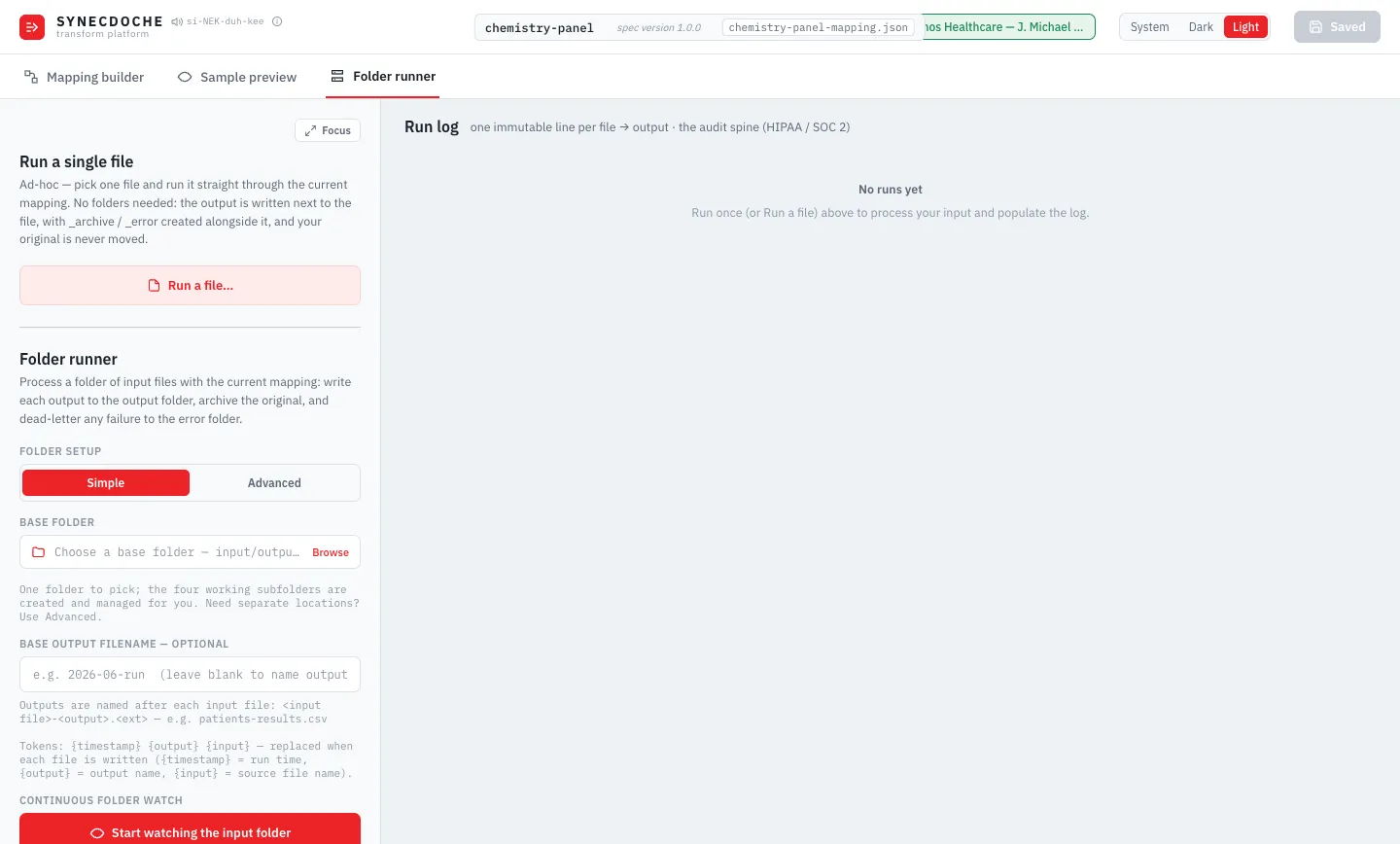
Folder Runner
Run one file by hand, or point Synecdoche at a folder and let it watch, process, archive, and error-route automatically.
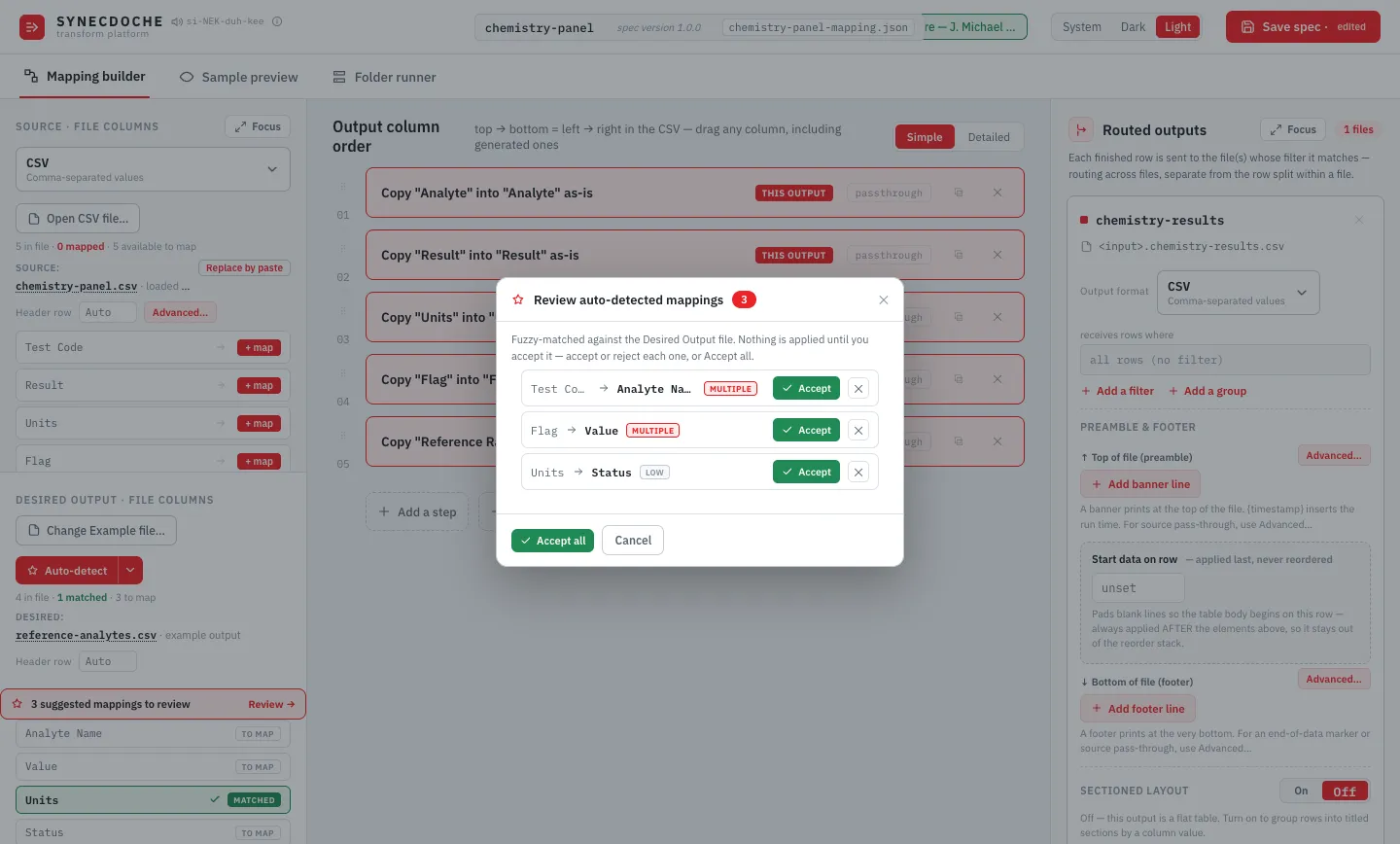
Auto-detected mapping suggestions
Load an example of the file you want, and Synecdoche fuzzy-matches your columns against it. Every match is confidence-scored, and nothing is applied until you accept it.
The engine behind every mapping
Six capabilities built into the core mapping workspace.
Three source formats
CSV, TSV, and Excel (.xlsx). Auto-detected, including from a .txt extension.
Header & leading-rows detection
Finds your real header row automatically, even behind a title block. Pin it by hand if you need to. The pin survives reopening the same file.
Sectioned output
Group rows into titled, per-patient or per-sample blocks with multi-line, token-driven section titles. Available for CSV or TSV.
The crosswalk
Rename source test names to your destination’s names, with an explicit, auditable choice for anything unmatched.
Sample Preview
Row-by-row, before-and-after comparison against your real sample data, with a Needs Attention panel that flags every real gap.
Folder Runner
Ad hoc single-file runs, or unattended folder watching with automatic archive/error routing and a per-file audit log.
From one file to a running pipeline
Build your mapping once. Then run it by hand on a single file, or point Synecdoche at a folder and let it watch, transform, archive, and error-route every file that lands there, automatically.
Run a single file
No folder setup needed: pick one file, run it through your mapping, and the output lands right next to it. Your original is never moved.
Continuous folder watch
Point Synecdoche at a base folder, and it creates and manages input, output, archive, and error subfolders for you. New files are picked up and processed automatically as they arrive.
A run log built for audit
One immutable entry per file: what came in, what went out, and the exact spec version that produced it. It's the record a HIPAA or SOC 2 review asks for.
Your data never leaves your computer. Synecdoche reads, transforms, and writes your files locally. Nothing is uploaded, and no result data is ever stored outside the files you told it to write.
Built so nothing is ever silently lost
Local-only processing
Your files and your data are never sent anywhere. Synecdoche runs entirely on your computer.
Nothing hidden
Every unmapped value and every unrouted row is flagged and reviewable. Nothing is ever quietly dropped.
A run log per file
One immutable audit entry for every file processed, tracing input to output to the exact spec that produced it.
PHI-safe specs
A saved mapping remembers which source and desired-output files it used, but only by filename. Never a folder path, and never your data.
Start free. Go unlimited for $19.99/year.
Synecdoche's free tier runs up to 5 files per run, one spec at a time. That's enough to build and prove out a real mapping. A $19.99/year license removes the file cap and unlocks Excel, JSON, and PDF export.
- Free tier: no card, no time limit, up to 5 files per run.
- $19.99/year license removes the cap. Installed in-app as a file, no cloud sign-in.
- Runs on Windows and macOS (Apple Silicon), signed builds.
Licensed
Unlimited files per run, plus Excel, JSON, and PDF export.
Download SynecdocheLicensing happens inside the app: download once, then import your license file. No cloud sign-in.
Get Synecdoche
Turn lab results, well-plate templates, instrument files, and more into the format your system needs. No coding, and a full record of every file. Runs on Windows and macOS (Apple Silicon).